Running CLI commands manually and discovering available tasks is tedious. You lose context switching between terminal and editor, and it's easy to forget which generators or tasks are available for each project.
Nx Console brings Nx directly into your editor. The extensions:
- enhance AI integrations by providing workspace-level context and up-to-date docs
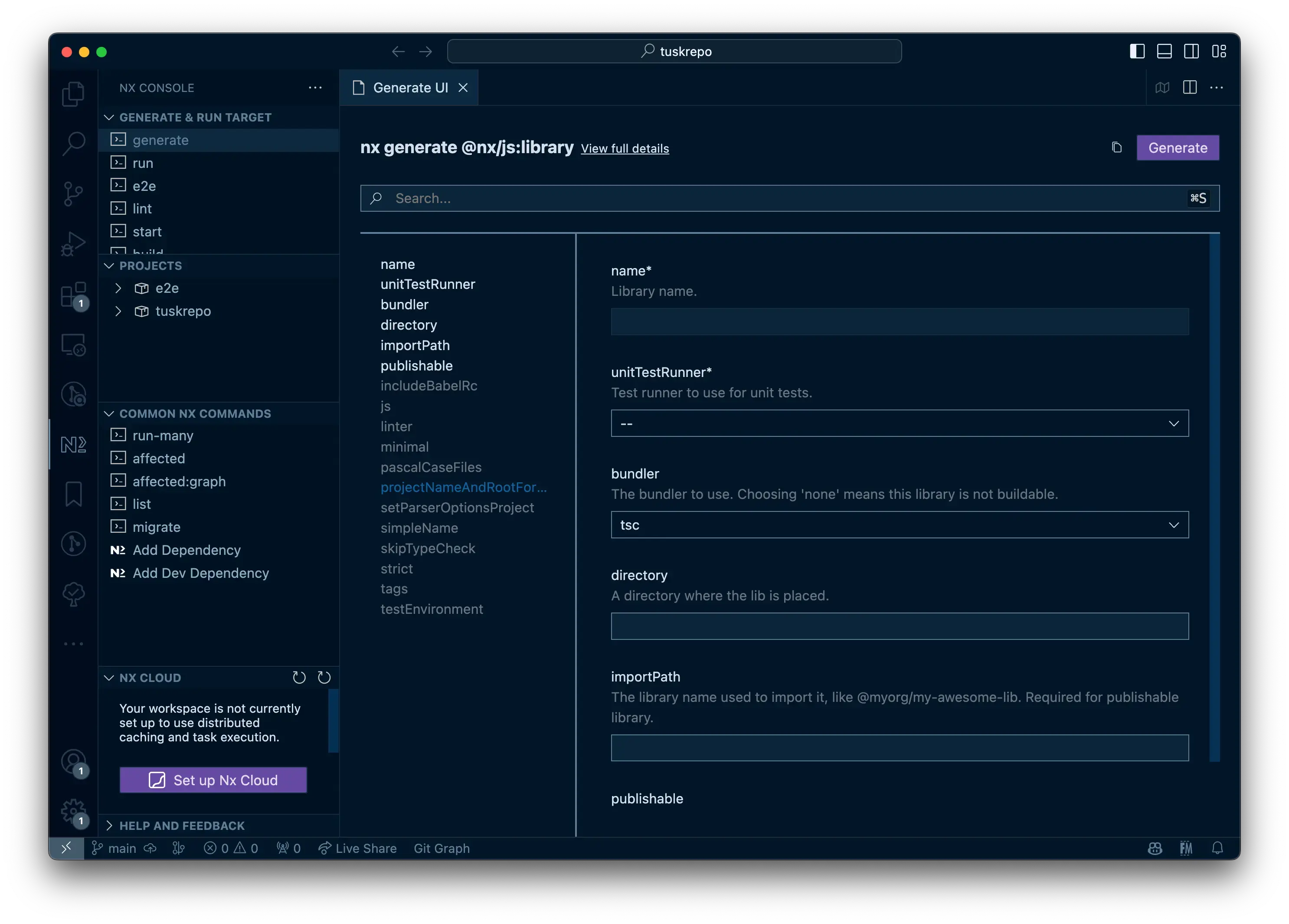
- show inferred tasks and help you invoke them via the Project Details View
- provide a visual UI for discovering and invoking generators
- visualize dependencies between projects and tasks
- and more!
You can explore more of the features in our dedicated Nx Console guides.
Download
Section titled “Download”Official integrations
Section titled “Official integrations”If you are using VSCode or a JetBrains IDE you can install Nx Console from their respective marketplaces. Nx Console for VSCode and JetBrains is built and maintained by the Nx team.
Install Nx Console for VSCodeThe official VSCode extension for Nx.
Install Nx Console for JetBrainsAvailable for WebStorm, IntelliJ IDEA Ultimate and more!
Neovim (Community)
Section titled “Neovim (Community)”If you are using Neovim, you can install Equilibris/nx.nvim with your favorite package manager.
Community Plugin: This plugin is maintained by independent community contributors, not the Nx team.
Troubleshooting
Section titled “Troubleshooting”If you encounter issues with Nx Console, see the Nx Console troubleshooting guide for detailed steps including how to enable debug logging.