GitHub Actions runs every job on every push by default, so CI time in a monorepo grows with the size of the repository. Nx keeps GitHub Actions fast by running tasks only for the projects affected by each pull request, restoring unchanged results from a remote cache, and distributing the remaining work across machines.
How does Nx speed up GitHub Actions?
Section titled “How does Nx speed up GitHub Actions?”Nx speeds up GitHub Actions in three layers:
nx affectedruns lint, test, and build only for projects impacted by a pull request.- Nx Cloud restores results that were already computed from a remote cache.
- Workers distribute what's left across multiple machines.
Affected runs work without an Nx Cloud account, so you can adopt each layer separately.
Run Nx on GitHub Actions
Section titled “Run Nx on GitHub Actions”A complete GitHub Actions workflow for an Nx monorepo:
name: CI
on:  push:    branches:      - main  pull_request:
permissions:  actions: read  contents: read
jobs:  main:    runs-on: ubuntu-latest    steps:      - uses: actions/checkout@v7        with:          filter: tree:0          fetch-depth: 0
      - uses: actions/setup-node@v6        with:          node-version: 24          cache: 'npm'
      - run: npm ci
      - uses: nrwl/nx-set-shas@v5
      - run: npx nx affected -t lint test build
This workflow works without Nx Cloud. To generate it instead of writing it by hand, run nx g @nx/workspace:ci-workflow --ci=github. For a walkthrough of each step, see setting up CI.
Run only affected projects in GitHub Actions
Section titled “Run only affected projects in GitHub Actions”Use nx affected instead of nx run-many in CI, and Nx compares your changes against a base commit to skip projects that couldn't have been broken. Two pieces of the workflow above make this work:
fetch-depth: 0on the checkout step gives Nx access to the full git history, which it needs to compute the changed file set.nrwl/nx-set-shas@v5sets theNX_BASEandNX_HEADenvironment variables thatnx affectedreads. On a pull request, the base is the branch you're merging into. On a push tomain, the action setsNX_BASEto the commit of the last successful workflow run, so commits that land while CI is red still get verified.
Add remote caching and task distribution
Section titled “Add remote caching and task distribution”Affected pruning skips projects that didn't change. Remote caching goes further by reusing results for tasks whose inputs are identical to an earlier run, whether that run happened in CI or on a teammate's machine. Connect your workspace by running this command:
npx nx connectOr follow the Nx Cloud getting started guide.
Once connected, a .nx/ci-config.yaml file and one extra step distribute tasks across multiple machines. npx nx fix-ci lets self-healing CI propose fixes when tasks fail. Run start-workers at the beginning of the main job, after checkout, so the agents boot while the main job installs dependencies. If your pipeline still passes start-ci-run flags, see Migrate from start-ci-run to start-workers.
dte: distribute-on: 3 linux-medium-js# ... checkout step as above
- run: npx nx-cloud start-workers
# ... install and nx-set-shas steps as above
- run: npx nx affected -t lint test build- run: npx nx fix-ci if: always()On Nx Cloud, Ultracache hashes each distributed task from the files it actually reads, and you can track per-agent CPU and memory with resource usage to right-size your agents.
What Nx adds to your GitHub PRs
Section titled “What Nx adds to your GitHub PRs”With the Nx Cloud GitHub App installed, every pull request gets:
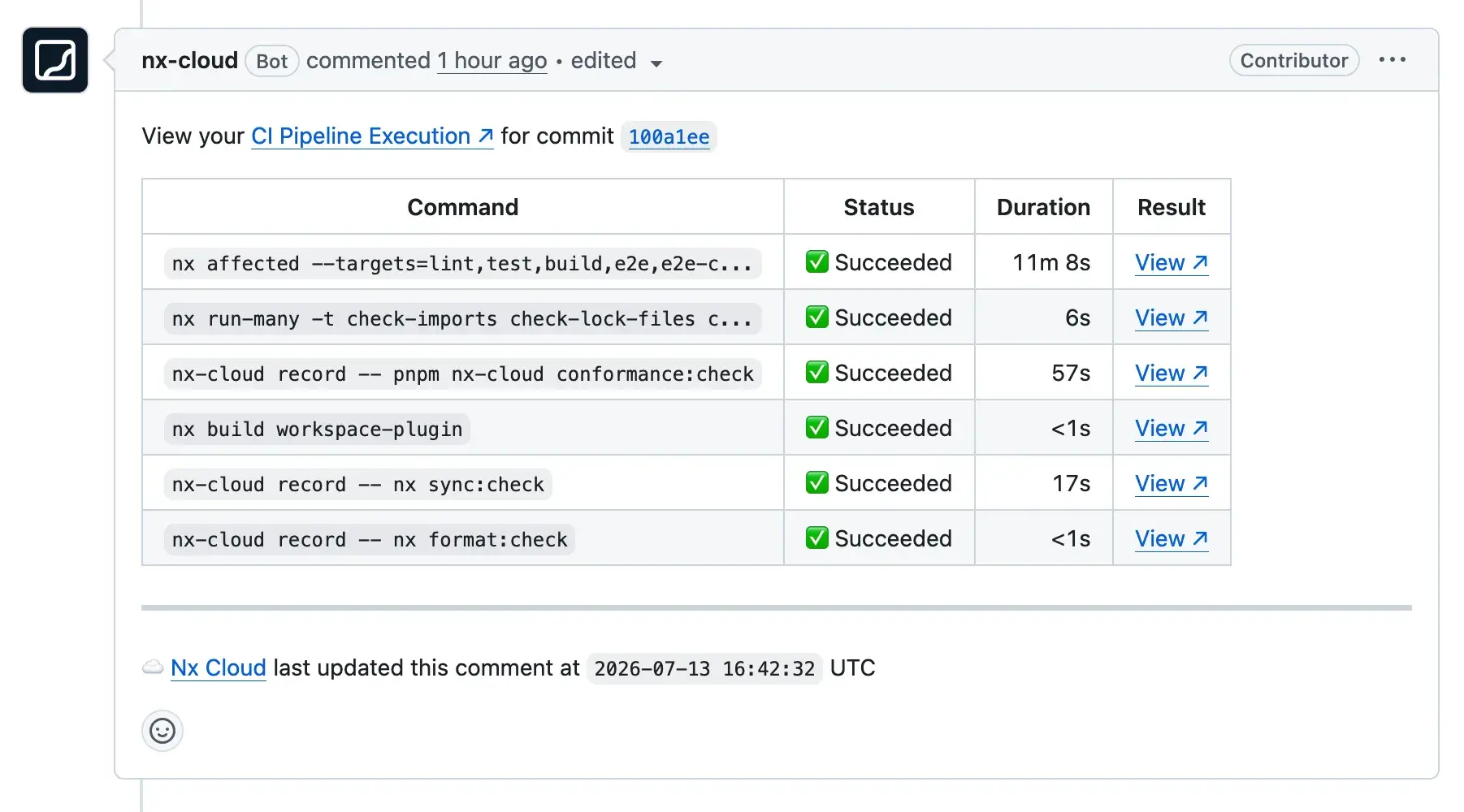
- A comment with the live status of each task in the run, updated as tasks complete, so you see which check failed without waiting for the whole workflow to finish.
- Links to structured, searchable logs for every task instead of one raw CI log.
- Links to each run in Nx Cloud, where you can rerun a command locally and pull the outputs CI already available in the remote cache instead of recomputing them.
- Proposed fixes from self-healing CI when a task fails, which you can review and apply directly from the PR.
Connect your repository
Section titled “Connect your repository”Get started with Nx CloudConnect your repository to Nx Cloud