

This guide walks you through enabling AI features in Nx Cloud.
Enable AI features
Section titled “Enable AI features”To enable AI features for your organization, go to your organization's settings on Nx Cloud and select the organization where you want to enable AI.
In the settings menu, find the AI Features section and toggle it On.
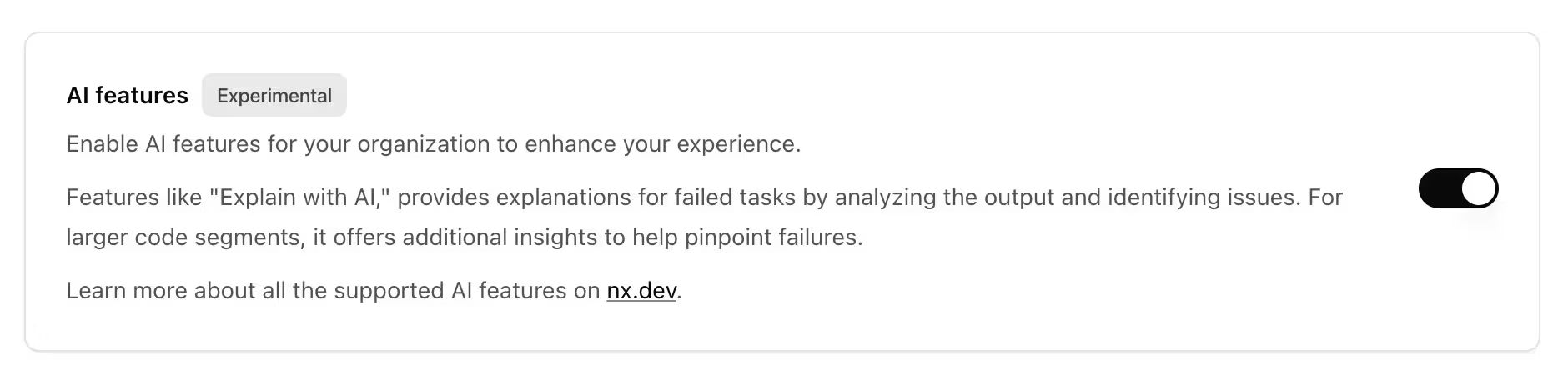
Make sure you accept the AI terms to start using the AI features.
Once AI features are enabled, turn on Self-Healing CI from your workspace settings. For how the fix runs in your pipeline, see the Self-Healing CI documentation.
Bring your own API key (BYOK)
Section titled “Bring your own API key (BYOK)”An organization can use its own AI provider API key for Self-Healing CI instead of the installation's key. BYOK doesn't require NX_CLOUD_AI_TOKEN_PROVIDER_TYPE.
Enabling Bring Your Own API Key requires an installation admin (a user with installationAdmin: true). Regular organization admins see the toggle disabled.
- Log in as an installation admin.
- Open the organization settings.
- Enable the AI Features toggle and accept the AI terms.
- Enable the Bring Your Own API Key toggle.
Supply the key in one of two ways:
- Configure the provider and API key on the organization's AI provider settings page. The key is stored encrypted.
- Leave the UI unset and provide
ANTHROPIC_API_KEYin the CI runner environment.
Regional availability
Section titled “Regional availability”AI features aren't available for the EU cluster in public cloud installations due to regional restrictions. Providing your own Anthropic API key (BYOK) for Self-Healing CI isn't subject to this restriction.